

Advanced Custom Fields (ACF) is useful when you want to turn WordPress from a simple page editor into a structured content system. One of the most interesting possibilities is using field values to decide what to show on the front end.
It is important, however, to distinguish between two things: ACF conditional logic in the editor and conditional display on the site. They are not the same feature.
ACF conditional logic in the editor
ACF lets you show or hide fields in the admin area based on the value of other fields. It makes editing simpler and avoids showing irrelevant options.
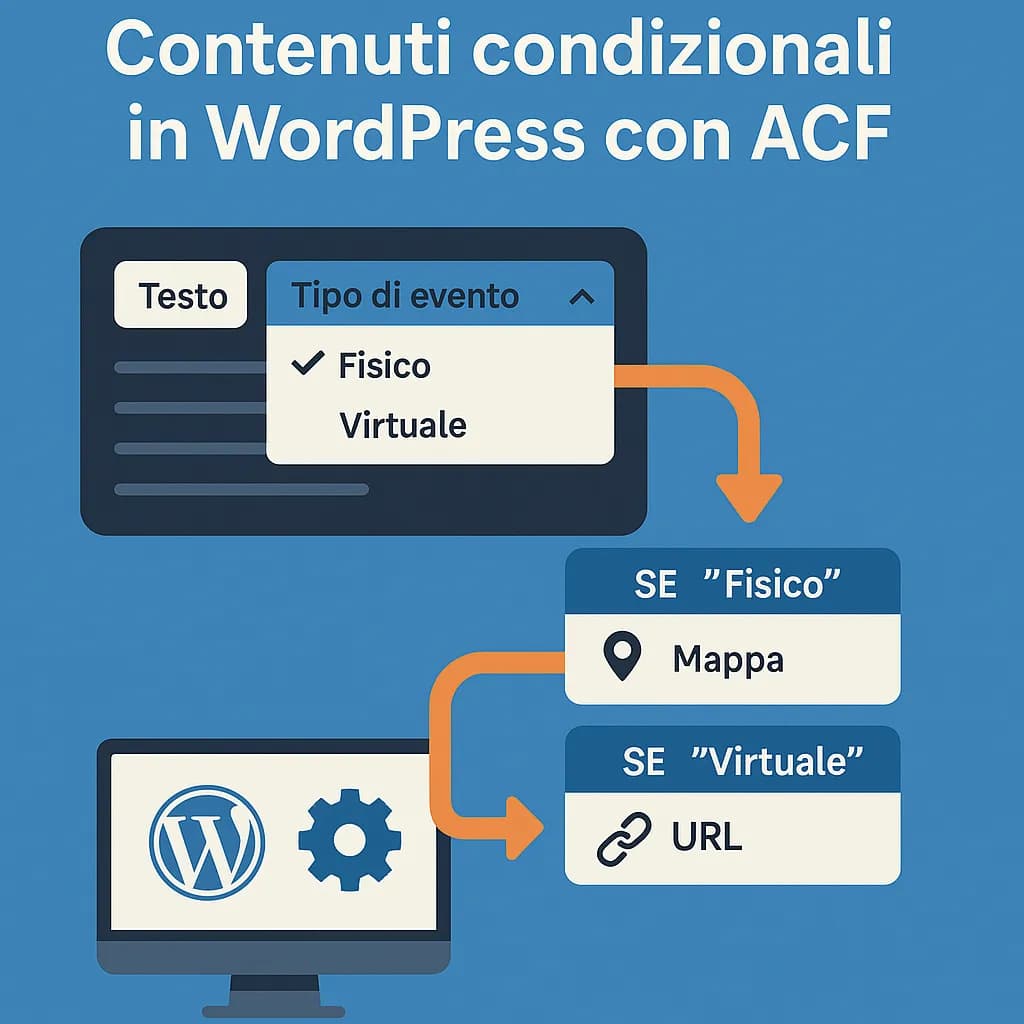
Example: for an “Event” content type you can have an Event type field with the values “In person” and “Online”. If you choose “In person”, the editor shows the address and map; if you choose “Online”, it shows the URL field.
Front-end logic requires code
To decide what the visitor sees, you need to read the field value in the template, in a block render callback or in the component logic.
<?php
$type = get_field( 'event_type' );
if ( 'in_person' === $type ) {
    $address = get_field( 'address' );
    // Render the venue.
} elseif ( 'online' === $type ) {
    $url = get_field( 'event_url' );
    // Render the link to the event.
}
?>
The same logic can be used with Twig/Timber, block themes, PHP templates, the REST API or a headless front end.
User roles and login status
ACF can provide the data that drives the decision, but to check who is visiting the page you need WordPress APIs, for example is_user_logged_in() or capability checks.
Avoid basing real authorisation solely on a block being “hidden”: if content is restricted, the check must happen on the server, not just via CSS or JavaScript.
What about mobile and desktop?
For purely visual differences between desktop and mobile, responsive CSS is almost always the better choice. Device detection in PHP can be useful in special cases, but it should not be the normal way to build responsive layouts.
When ACF is particularly useful
- catalogues and directories;
- structured case studies and portfolios;
- events with different data depending on their type;
- custom product or service sheets;
- multilingual content with predictable fields;
- headless WordPress and APIs;
- custom Gutenberg blocks.
Why structuring data beats putting everything in a free-form editor
Well-designed fields make content more reusable, easier to validate and easier to expose through APIs. They are also useful when the same data has to appear in several places on the site or be consumed by a front end other than WordPress.
If your project needs structured content, APIs or integrations, see also my custom development and integration services.