

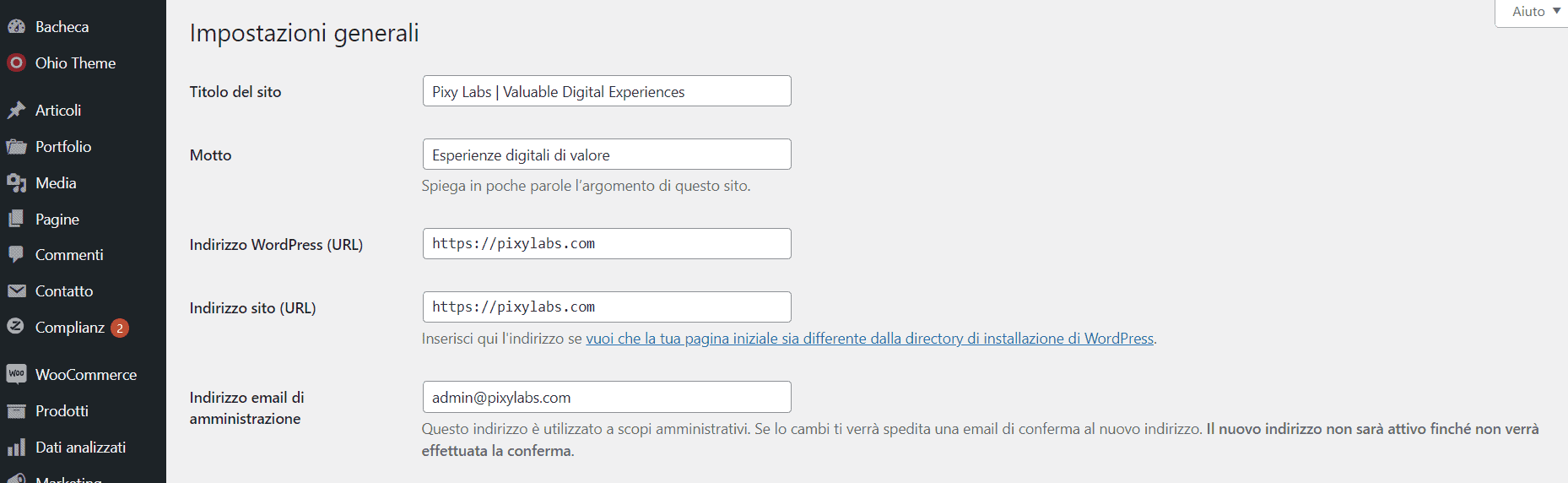
The WordPress site administration email is the address used for technical notifications, updates and system messages. It should not be confused with the email of an individual administrator user.
You can normally change it under Settings → General, but WordPress requires a confirmation sent to the new address before the change takes effect.
Why the confirmation email may not arrive
The most common causes are:
- email sending problems on the server;
- the message ending up in spam;
- missing or wrong SMTP configuration;
- incorrect SPF, DKIM or DMARC records;
- a mistyped address.
Before bypassing the confirmation, it is therefore worth checking that the site can actually send emails: if the problem is more general, changing the address will not fix it.
Method 1: edit the database directly
If you have database access and know what you are doing, you can update the value of the admin_email option directly.
- Back up the database.
- Open phpMyAdmin or your hosting’s equivalent tool.
- Open the
wp_optionstable. The prefix may be different fromwp_. - Find the row with
option_name = admin_email. - Edit
option_valueand enter the new address.
Editing the option directly skips WordPress’s normal email confirmation flow. After saving, go back to Settings → General and check that the address is correct.
Method 2: WP-CLI
If your hosting lets you use WP-CLI, you can also update the option from the terminal:
wp option update admin_email newaddress@example.comIt is a handy solution when you work on staging, managed servers or environments where you have SSH access.
Note: the site email and the user email are two different things
Changing admin_email changes the site’s administration address. If you also want to change the email of your personal account, do it under Users → Profile or on the user in question.
When it is better to fix the delivery problem
If password resets, form notifications or WooCommerce emails are not arriving either, the problem is not the admin address but email delivery. In that case it is better to set up SMTP or the site’s email service properly.
If you need help checking configuration, emails, updates or other technical issues, see the WordPress maintenance service or contact me.